VesselCalc
Pressure vessel & heat exchanger design software
VesselCalc helps engineers design pressure vessels and heat exchangers to TEMA and ASME Section VIII Division 1 & 2: enter the design data, work the calculations to code, check the vessel in 3D and issue the calculation report as a PDF.
- ASME VIII Div 1 & 2
- TEMA
- Interactive 3D
- PDF calculation reports
- Built against a named standard. TEMA and ASME Section VIII Division 1 & 2, not a generic calculator.
- Built by engineers. We are engineers who build software, not developers guessing at engineering rules.
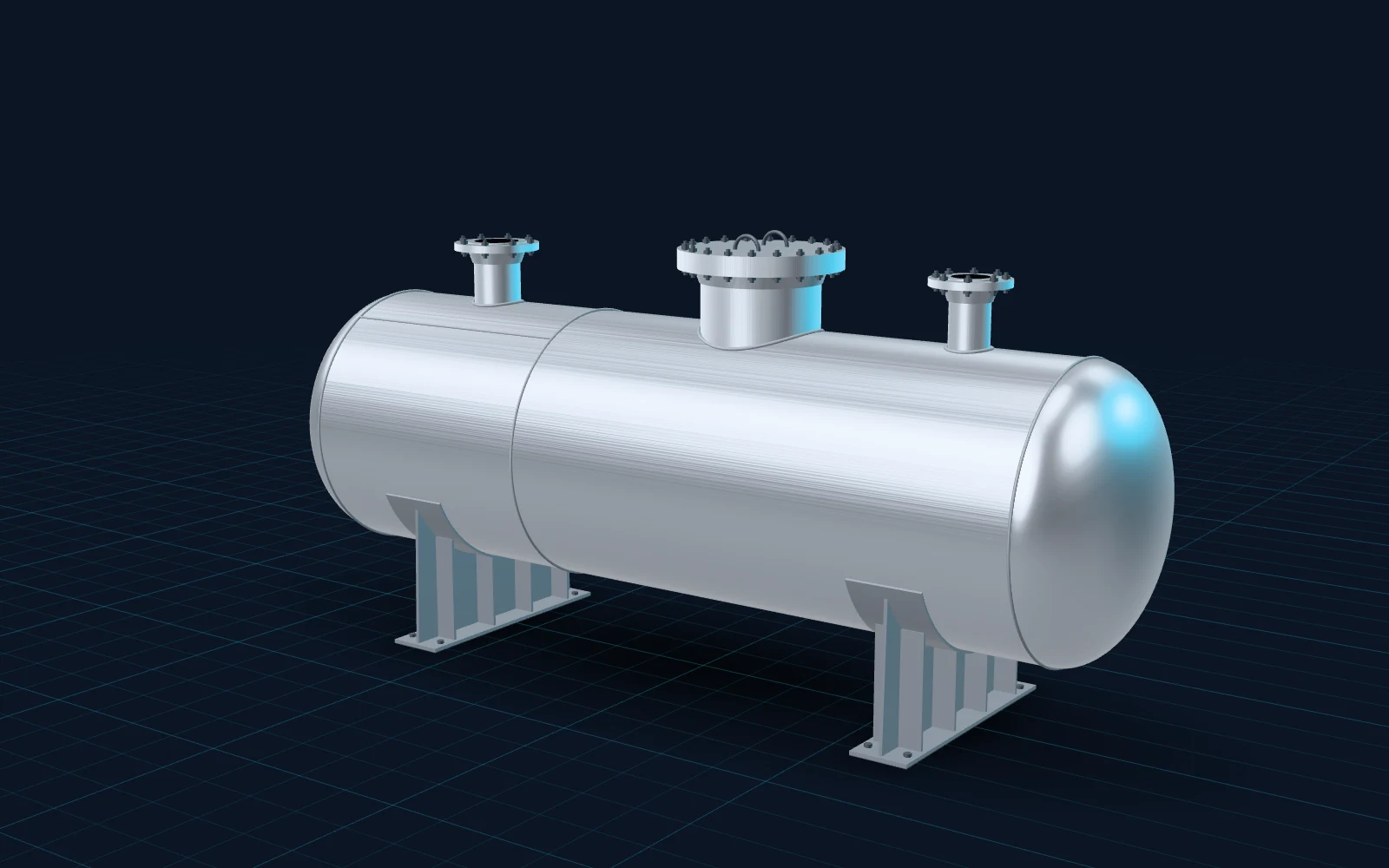
- Drawing
- PV-01 · Horizontal vessel
- Shell
- ID 1200 · T/T 3600
- Heads
- 2:1 semi-ellipsoidal
- Supports
- 2 × saddle
The problem we set out to solve
Designing a pressure vessel or heat exchanger means many calculations, each tied to a clause of a design code, and a report that has to hold up to review.
- Is this shell thick enough at design pressure? And is it still thick enough once joint efficiency and corrosion allowance are applied?
- Which head should we use, and what does it change? Each head configuration has its own formula and its own result.
- Does the geometry still match the numbers? One changed input ripples through the whole design.
- How long will the calculation report take? Assembled by hand from spreadsheets, it is slow and easy to get wrong.
Spreadsheets and generic calculators can do the arithmetic, but they do not know the code, and they leave the report to you.
VesselCalc keeps the calculations, the 3D view and the report in one tool, built to the code.
What VesselCalc is, in plain words
Think of VesselCalc as three things in one:
- A design calculator that knows the code. You enter the design data and it works the calculations to TEMA and ASME Section VIII Division 1 or Division 2.
- A 3D view of the vessel. See the vessel you are designing on screen and turn it around, so the geometry is checked by eye as well as by number.
- A report writer. The calculation report is generated for you as a PDF, ready for review.
It is delivered as a subscription service, so each company works in its own secure space.
Three steps to a calculation report
Enter the design data.
Design pressure, dimensions, allowable stress, joint efficiency and corrosion allowance, as on any calculation sheet.
Choose the code and configuration.
ASME Section VIII Division 1 or Division 2, TEMA for heat exchangers, and the head configuration your vessel needs.
Review and issue.
Check the vessel in 3D, then generate the PDF calculation report for your reviewer.
What you can do with it
Calculate
Pressure vessel calculations
Calculations worked to TEMA and ASME Section VIII Division 1 & 2, the standards our engineering software is designed and checked against.
Configure
Multiple head configurations
Choose from multiple head configurations and see what each one means for your design.
Visualise
Interactive 3D vessel visualization
See the vessel in 3D and rotate it on screen, so you can check the geometry before anything is drawn or cut.
Report
Automated PDF calculation reports
The calculation report is generated as a PDF, instead of being assembled by hand from spreadsheets.
Secure
Separate, secure workspaces
Each company's work is kept separate, behind secure sign-in.
License
Subscription-based licensing
Licensed by subscription. Talk to us for a plan that fits your team.
A worked example
An illustrative example with sample values, not a real project.
Inputs
An engineer is sizing V-101, an air receiver. Design pressure 1.5 MPa, inside radius 600 mm, shell in SA-516 Grade 70 with an allowable stress of 138 MPa, joint efficiency 0.85 and a 3 mm corrosion allowance.
Calculation
For a cylindrical shell under internal pressure, ASME VIII Division 1, UG-27(c)(1) gives t = P·R / (S·E − 0.6·P). With the corrosion allowance added, the required thickness is 10.73 mm, so 12 mm plate is adopted.
Review and report
The engineer checks the vessel in 3D, then generates the PDF calculation report and sends it for review.
VesselCalc · Calculation sheet
Cylindrical shell · internal pressure
| P | Design pressure | 1.50 | MPa |
|---|---|---|---|
| R | Inside radius | 600 | mm |
| S | Allowable stress, SA-516 70 | 138 | MPa |
| E | Joint efficiency | 0.85 | – |
| CA | Corrosion allowance | 3.0 | mm |
t = P·R / (S·E − 0.6·P) + CA
Built for the people who design vessels
Fabricators
Pressure vessel and heat exchanger manufacturers who design what they build.
Design engineers
Engineering teams and consultants who size vessels and issue calculation reports.
Engineer-to-order shops
Manufacturers where every order starts with a design, and accuracy has a direct cost.
How we build it
Built against a named standard.
Every calculation tool we ship is designed against a named standard and checked against it.
Accurate and auditable.
Output that holds up to review, practical for real engineering environments.
Engineers in the loop.
VesselCalc does the calculations; the qualified engineer still reviews and signs the design.
Your data, kept separate.
Each company's designs are kept separate and protected by secure sign-in.
Frequently asked questions
Which design codes does VesselCalc follow?
TEMA and ASME Section VIII Division 1 & Division 2.Does it handle heat exchangers as well as pressure vessels?
Yes. VesselCalc is pressure vessel and heat exchanger drafting and design software, with TEMA for heat exchangers.Which head configurations are supported?
VesselCalc supports multiple head configurations. Talk to us with your design and we will show you how it handles it.Does it produce a calculation report?
Yes. The calculation report is generated automatically as a PDF.Can I see the vessel I am designing?
Yes. VesselCalc includes interactive 3D visualization of the vessel.How is VesselCalc licensed?
By subscription. Contact us for a plan that fits your team.Is our design data kept separate from other companies?
Yes. Each company works in its own secure space, behind secure sign-in.Does VesselCalc replace the engineer's review?
No. It does the calculations and the report; responsibility for the design stays with the qualified engineer who reviews and signs it.Can I get a demo?
Yes. Tell us about the pressure vessel or heat exchanger you design through the contact page and we will arrange one.
Words used on this page
| Word | Meaning |
|---|---|
| ASME Section VIII | The part of the ASME Boiler and Pressure Vessel Code that covers pressure vessels. Division 1 gives design-by-rule formulas; Division 2 gives alternative rules, including design by analysis. |
| TEMA | Tubular Exchanger Manufacturers Association standards for shell-and-tube heat exchangers. |
| UG-27 | The Division 1 paragraph for the thickness of shells under internal pressure. |
| Design pressure | The pressure a vessel is designed to withstand, used in the thickness calculations. |
| Allowable stress (S) | The maximum stress the code permits for a material at the design temperature. |
| Joint efficiency (E) | A factor up to 1 that accounts for the strength of welded joints, set by the type and extent of inspection. |
| Corrosion allowance (CA) | Extra thickness added so the vessel stays safe as it corrodes in service. |
| Head | The end closure of a vessel, for example ellipsoidal, torispherical or hemispherical. |
See VesselCalc on your own design
Tell us about the pressure vessel or heat exchanger you design, and we will show you how VesselCalc handles it.
Want engineering software like this built for your own process? Engineering Software Solutions